
%22%2F%3E%3Ctext%20x%3D%2250%22%20y%3D%2250%22%20dy%3D%220.35em%22%20text-anchor%3D%22middle%22%20font-family%3D%22system-ui%2Csans-serif%22%20font-size%3D%2248%22%20font-weight%3D%22700%22%20fill%3D%22hsl(24%2060%25%2092%25)%22%3EK%3C%2Ftext%3E%3C%2Fsvg%3E)
%22%2F%3E%3Ctext%20x%3D%2250%22%20y%3D%2250%22%20dy%3D%220.35em%22%20text-anchor%3D%22middle%22%20font-family%3D%22system-ui%2Csans-serif%22%20font-size%3D%2248%22%20font-weight%3D%22700%22%20fill%3D%22hsl(280%2060%25%2092%25)%22%3EB%3C%2Ftext%3E%3C%2Fsvg%3E)
%22%2F%3E%3Ctext%20x%3D%2250%22%20y%3D%2250%22%20dy%3D%220.35em%22%20text-anchor%3D%22middle%22%20font-family%3D%22system-ui%2Csans-serif%22%20font-size%3D%2248%22%20font-weight%3D%22700%22%20fill%3D%22hsl(150%2060%25%2092%25)%22%3EL%3C%2Ftext%3E%3C%2Fsvg%3E)
%22%2F%3E%3Ctext%20x%3D%2250%22%20y%3D%2250%22%20dy%3D%220.35em%22%20text-anchor%3D%22middle%22%20font-family%3D%22system-ui%2Csans-serif%22%20font-size%3D%2248%22%20font-weight%3D%22700%22%20fill%3D%22hsl(45%2060%25%2092%25)%22%3EG%3C%2Ftext%3E%3C%2Fsvg%3E)
%22%2F%3E%3Ctext%20x%3D%2250%22%20y%3D%2250%22%20dy%3D%220.35em%22%20text-anchor%3D%22middle%22%20font-family%3D%22system-ui%2Csans-serif%22%20font-size%3D%2248%22%20font-weight%3D%22700%22%20fill%3D%22hsl(210%2060%25%2092%25)%22%3ED%3C%2Ftext%3E%3C%2Fsvg%3E)
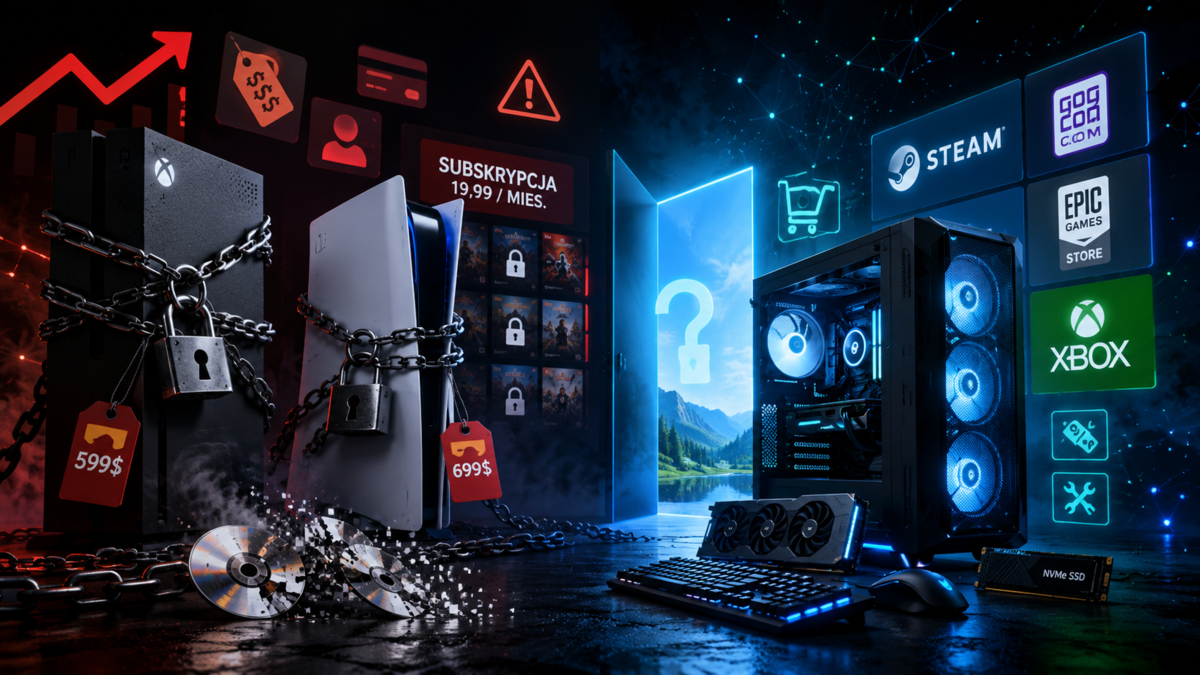
Konsole stają się pułapką. PlayStation i Xbox coraz mniej sprzedają sprzęt, a coraz bardziej kontrolę

bigbaddiceInspirator
58piorunówSony zarabia już głównie na cyfrowych treściach, dodatkach i usługach, Xbox drożeje, a regulaminy wprost mówią, że cyfrowe gry są licencjonowane, nie sprzedawane. Konsola coraz mniej wygląda jak sprzęt do grania, a coraz bardziej jak zamknięty terminal do sklepu jednej korporacji.
Komentarze (48)
 CatharsisOsobistość0piorunów
Jako pececiarza to najbardziej boli, że teraz nie będzie można kupić tanio używanej konsoli pod koniec generacji plus parę używanych exów które się chciało ograć a następnie sprzedać je dalej. Owszem samą konsole pewnie kupi się tanio ale gry cyfrowe na pewno wyjdą drożej niż używane pudełka plus nie odsprzedasz ich. Sporo osób tak robiło zwłaszcza jak miało te kilka gier które bardzo chciało zagrać a nigdy nie opuściły konsoli np. Bloodborne czy Demons Souls.
 3majmipiwoWirtuoz0piorunów
4 lata temu kupowałem PS5. Już wtedy w sprzedaży były wersje bez napędu. Ja wybrałem z napędem chociaż jak pamiętam była nawet delikatnie droższa.
Konsoli używają tylko dzieciaki, ale jak kupujemy jakąś grę to tylko na nośniku. Ta wersja bez napędu już wtedy mi śmierdziała na odległość.
Nauczony doświadczeniem z "pegasusa" (nie tego od pewnego ministra), że jak chcesz grać to musisz mieć 168in1 na własnym "kartridżu".
 Fly_agaricGURU4piorunów
I chyba właśnie dlatego SteamOS otwiera się na wsparcie szeroko pojętych komponentów do sprzętu domowego. Steam Machine każdy będzie sobie mógł zbudować. A kto chce wsparcie, dla niego będzie oryginał.
 lokurvaGwiazdor3piorunów
I tutaj wchodzi steam machine, cała na ... czarno
 MoribundKompan0piorunów
@mevi No okej, przecież napisałem wyraźnie, że jak ktoś "potrzebuje" SFF to płaci tyle samo, a ma praktycznie połowę mocy mniej - oczywiście, że składak jest mniej poręczny, ale Steam Valve to (moim zdaniem) dalej jest sprzęt bliżej komputera stacjonarnego lub konsoli, niż konsolki przenośnej, do której nie potrzebujesz peryferiów ani osobnego ekranu. Porównywanie tego ze Switchem, który nota bene może służyć jako konsola pseudo-stacjonarna, uważam za nietrafione z powodu exclusivów i po prostu sympatii wieloletnich fanów Nintendo. Trudno mi sobie wyobrazić, że ktoś jeździ z taką skrzyneczką i podłącza ją do losowych ekranów, ale może istnieją tacy ludzie (dałbym sobie jednak uciąć rękę, że będą w mniejszości do tych, którzy używają/planowali używać tego sprzętu jako konsoli/stacjonarki).
Co do tego Cyberpunka to raczej wątpię, skoro w 1080p ultra nie jest w stanie wyciągnąć 60 klatek, chyba, że rozmawiamy o jakimś kosmicznym upscalingu z FSR, ale FSR do DLSS raczej daleko i upscaling 720p do 4K to bardzo duże nadużycie terminu 4K.
Koniec końców każdy kupi co mu się bardziej podoba i chyba nie ma sensu nad tym więcej dywagować, pozdrawiam.
meviZawodowiec1piorunów@Moribund Podłączyłem sobie koszty części z linka który wrzuciłeś na xkomie, wyszło około 4330 zł, z tym że sprzęt będzie zdecydowanie większy i mniej poręczny. Zamiast 16x16x16 cm dostajesz klocka 38x23x39 a chyba niekoniecznie o to chodzi. Taki Switch na przykład pod wzgledem jakości do ceny wypada kiepsko a sprzedaje się raczej dobrze i cenę trzyma. Nie to żebym tutaj fanbojował Valve ale trochę męczy mnie takie marudzenie, szczególnie że upchać taką maszynę w tak małą obudowę to całkiem spory wyczyn. Widziałem że jak się dobrze dostroi ustawienia to cyberpunka w 4k na wysokich w 60 klatkach jako tako udźwignęło.
MoribundKompan0piorunów@lokurva @mevi Schodzi, bo ludzie są niedoinformowani, leniwi, lub wierzą w ideologię jednej korporacji bardziej niż innych. Wystarczy wpisać w Youtube "Steam Machine killer" i chociażby LinusTechTips pokazują, że idzie taniej złożyć dużo lepszy zestaw. Wiadomo, na polskie warunki ceny mogą się różnić, ale nawet losowy komputer w tym samym budżecie np. od TechLiptona z jakimś 5060Ti będzie o wiele bardziej wydajny, jeśli możemy poświęcić ITX/SSF - jak ktoś nie może, to płaci tyle samo za 60% mocy. Po więcej informacji zapraszam na benchmarki na przykład tu - https://gamersnexus.net/pre-built-pc/valve-steam-machine-review-gpu-cpu-benchmarks-steamos-test-thermals-noise-and-price
Zaznaczam, że nie mam w tym żadnego interesu, a kompa udało mi się złożyć chwilę przed kosmicznym wzrostem cen. Valve chwała, że starają się umożliwić sensowny gaming na Linuxie, ale samo Steam Machine to po prostu klapa dla fanatyków.
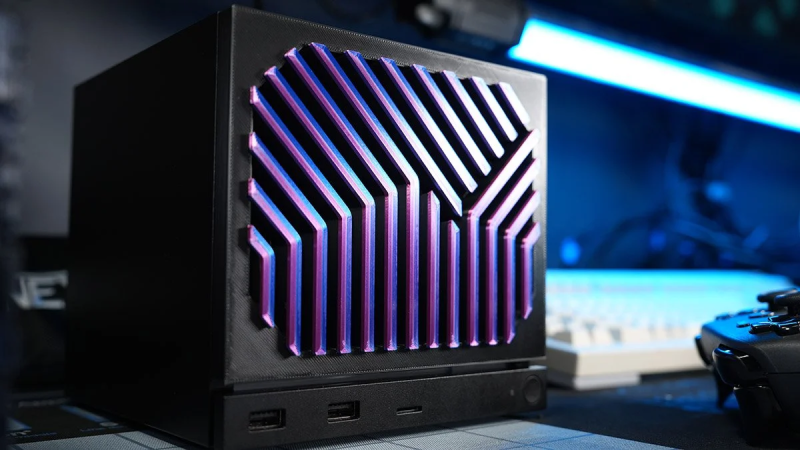 Valve Steam Machine Review: GPU & CPU Benchmarks, SteamOS Test, Thermals, Noise, and Price | GamersNexusPre-Built PC Valve Steam Machine Review: GPU & CPU Benchmarks, SteamOS Test, Thermals, Noise, and Price June 24, 2026 Last Updated: 2026-06-24 Our testing of the Steam Machine benchmarks gaming performance, GPU performance, framerate (FPS), CPU performance, compression and decompression, thermals, acoustics, and more The Highlights The Valve Steam Machine runs desktop SteamOS, a Linux distribution, and ships in a console-like form factor with the intent for use as a living room PC or mini PCYou could put together a box that would perform better than the Steam Machine in terms of FPS for the same amount of money or lessIn GPU tests, we found that the Steam Machine performed closest to the RX 6600, Intel B570, and RTX 3060Original MSRP: $1050 (512GB model), $1350 (2TB model)Release Date: June 29, 2026 Table of Contents AutoTOC Visit our Patreon page to contribute a few dollars toward this website's operation (or consider a direct donation or buying something from our GN Store!) Additionally, when you purchase through links to retailers on our site, we may earn a small affiliate commission. Intro Valve’s Steam Machine reservation queue is launching today for $1,050 at 512GB and $1,350 at 2TB, with separate controller bundles also available. We’ll put the conclusion upfront, no bullshit: In GPU-bound gaming performance tests and with SteamOS for the Machine versus our standard Windows bench, we found that the Steam Machine performed closest to the RX 6600, Intel B570 (read our review), and RTX 3060 (watch our review), with one instance of an RX 7600 (read our review) match. The most immediate cards ahead of the Steam Machine and from modern generations were the RX 7600 (watch our review) and RTX 5050 (watch our review). Editor's note: This was originally published on June 22, 2026 as a video. This content has been adapted to written format for this article and is unchanged from the original publication. Credits Test Lead, Host, Writing Steve Burke Testing, Writing Patrick Lathan Camera, Video Editing Vitalii MakhnovetsTim Phetdara Camera Andrew Coleman Writing Tannen Williams Writing, Web Editing Jimmy Thang It’s not particularly powerful, mostly because it literally isn’t powerful: Valve is limiting the TDP pretty hard on these parts due to the PSU capacity and for thermal reasons. Power consumption has it in the range of 170-180W gaming and in the low 200s for a full torture load, but that drops within minutes of starting. Thermally, the Steam Machine did better than you might expect with its closed-off front plate, but we were able to improve CPU clock boosting by dropping temperatures several degrees with a mod that we 3D printed. CPU performance in Stellaris simulation time benchmarking had the Steam Machine at around the level of the R7 3700X or R5 3600. Decompression testing had it at the R5 2600’s level, with Blender putting it near the 5600X. Those are the key details upfront, but we have a lot of commentary on SteamOS as well and a lot of testing to prove our work. We pointed all of our testing equipment at the Steam Machine, including our fan tester for an A/B comparison of the solid stock panel versus these custom ventilated GN SteamVent front panels we made that we’re launching for sale on our store today, plus comparisons of the Steam Machine’s fan versus Noctua fans. This included printing about 100 different samples of front panels and some fan mods for thermal comparisons. We also wired-up the Steam Machine with K-Type thermocouples to measure the thermal performance of the low-TDP box with the various plates. That’s in addition to running power logging testing to measure the Steam Machine’s power consumption under load, testing in our hemi-anechoic chamber for frequency spectrum analysis at different speeds, and our Schlieren imaging test to analyze the system’s air density gradient. Intro: Valve's Statements & Framing Valve shared an early draft of today's blog post with the press, including lines like "the price at which we sell our hardware is a direct result of the cost of these components" and "we found we couldn't source some of our components at all, at any price." That's not a surprise, but it sets the mood. We have a three-and-a-half hour-long documentary covering the collapse of personal computing and the pricing. Valve put some spin on its explanation of why it wouldn't subsidize the Machine: "When companies sell their hardware under cost for competitive advantage, or buy exclusive content for it, they're doing that to build a more closed system, one where you don't get to choose what software you want to use. We don't want that for PC hardware, and we don't think you should want it either. You shouldn't feel like you have to buy Valve hardware; you should be able to view it as just one option alongside all the devices for playing games." This is making the best of a bad situation, but we can also imagine Valve getting criticized for undercutting smaller manufacturers at $600 at a time when it is in a lawsuit over alleged monopolization would harm the credibility of its defense. With the actual prices of the Steam Machine, we definitely don't think they're in any danger of looking like they’re unfairly undercutting people. Most of the rest of the post is an explanation of the complicated queue system Valve has set up. If you sign up before June 25th, you get a random chance to be put in a randomized reservation queue, and the overflow gets put in the queue-to-get-into-the-queue. The randomization is a good thing, as it means that you don’t need to be at your computer at minute-zero (or minute-minus-one for the Controller), as there is no advantage to preordering at the first minute versus preordering a day later. The bottom line is that you don't need to rush too much if you want the Steam Machine, and scalping will be harder than usual. If you care about the finer details, they're in Valve's blog post. Valve finishes by answering the question "if I don't get a Steam Machine right away, is there anything else I can do?" by basically saying yeah, use your own computer. The new SteamOS 3.8 release is compatible with some non-Valve hardware, as long as it's not NVIDIA. That’s mostly because NVIDIA drivers on Linux remain a nightmare, not because of Valve’s own choices. Steam Machine Specs The Steam Machine uses a 6C/12T Zen 4 CPU with a max advertised boost clock of 4.8 GHz with a 30W TDP, which will be the largest limiter. The GPU uses RDNA 3 with 28 compute units, a 2.45 GHz max advertised sustained clock, a limited 110W TDP, and 8GB GDDR6 VRAM. I/O includes 4x USB Type-A ports, 1x USB-C port, a microSD card slot, 1x HDMI and DisplayPort, and a 1 gigabit ethernet port. We were surprised and a little annoyed that Valve opted for a 1 gigabit port for ethernet when 2.5GbE is becoming increasingly common, even on low-end motherboards. Although most people aren’t on an internet connection that fast (including us), Steam supports transferring games intranetwork without a redownload, and LAN speeds greater than 1Gbps are becoming more common. Valve ships with 16GB DDR5-5600 RAM, a 300W PSU, and its two SKUs have either a 512GB or 2TB NVMe SSD. RAM is the biggest problem. Not only is it limited to 16GB of DDR5-5600, but Valve broke news to us that it would be shipping Steam Machines with either a single stick or 2x 8GB sticks. The obvious problem with this is channeling: Memory in dual-channel will objectively perform better than single-channel, although Valve claims that gaming benchmarks didn’t reflect much change. In an interview, Valve Graphics Programmer Pierre-Loup told us, “At some points, you might have 2 DIMMs. At some point, you might have 1. It just changes based on the supply that we can secure, but at the end of the day, it should be comparable speeds.” Valve Hardware Engineer Yazan Aldehayyat chimed in and said, “Just to be clear, basically system memory is 16 gigabytes. But again, to be able to build as many as we can, we have to essentially have some with one stick of 16, some with two sticks of eight. We validated the performance delta. We don't really think it makes a big difference or if any measurable difference at all per game. Pierre-Loup added, “If you're doing workstation stuff, the memory stuff, we understand that dual channel has a difference there [...] It's a little bit of a weird trade-off because it's like having one stick is actually better for some cases because some people might want to upgrade to 32 and now they can just plop down another module, right? So, it's a little bit of a trade-off either way, but right now, because we can't really decide on just one, we have to just take the supply that comes in.” We’ll do some additional testing with the single-stick options as soon as we can and publish the results in a follow-up. Capacity is also a concern: Although Linux won’t be as memory-intensive as Windows, 16GB is still the bare minimum today for a decent gaming machine. Market conditions are bad though, and Valve is a nobody in the world of system memory purchasing. In fact, memory module maker GSkill, whom we interviewed for our Collapse documentary, is also a nobody, and their entire business is purchasing memory. The companies getting priority are NVIDIA, OpenAI, and other hyperscalers and data center companies. Valve does not get contracts with Samsung, SK Hynix, or Micron, who collectively control almost the entire DRAM market -- we actually have a documentary about the DRAM cartel. We spoke with Valve about that for an upcoming separate video. In it, we asked them if they had contracts with RAM manufacturers. Valve told us, “There's no contracts. There's nothing. Those guys, they are, you know, they give us a price every month or something and they say you can buy that many and it's ‘yes’ or ‘no.’ And if we say ‘no,’ then they never talk to us again.” The RAM situation is out of Valve’s control -- or anyone’s control -- other than a select few. Steam Machine Spec Comparison Table and Prices Steam Machine (512GB) | Part and Price Breakdown | GamersNexus Part NameComparable PartsDIY Part PriceCPUSemi-custom AMD Zen 4 6C / 12Tup to 4.8 GHz, 30W TDPAMD Ryzen 5 7400F$115CPU CoolerProprietaryThermalright Peerless Assassin 120 SE V2$31MotherboardProprietaryGIGABYTE A620I AX$130Memory16GB DDR5-5600 SO-DIMMA-Tech 16GB DDR5-5600 DIMM$242Storage512GB NVMe SSDPatriot Memory P320 512GB NVMe SSD$91GPUSemi-custom AMD RDNA3 28CUs2.45GHz max sustained clock, 110W TDP8GB GDDR6 VRAMAMD Radeon RX 7600$290CaseProprietaryCooler Master Q300L V3$45Power SupplyInternal 300W PSUAPEVIA SFX-AP400W$35Price$1,050DIY Total$979 Steam Machine Premium Over DIY: $71 IMPORTANT NOTE: Paper spec comparison to new DIY only. Actual performance spec comparison is different (Steam Machine is lower performance due to TDP limits) Here’s a pricing breakdown of the Steam Machine as compared to the DIY price of a similar system by paper spec, which is different from a system by performance spec. On paper, the Steam Machine's “semi-custom” CPU and GPU are most comparable to AMD's Ryzen 5 7540U and Radeon RX 7600M. Those are laptop parts, so that’s no good for DIY pricing. The most comparable new desktop hardware would be AMD’s Ryzen 5 7400F and Radeon RX 7600. The 7400F matches the Steam Machine CPU architecture and core count and has a similar max boost clock, but it has a noticeably higher 65W TDP. The Machine is heavily power-limited. The RX 7600 matches the Steam Machine’s GPU architecture, VRAM, and clocks, but it has 32 compute units (instead of 28) and a higher 165W TDP (instead of 110W). We had to get creative with suitable replacements for Valve’s proprietary CPU cooler, motherboard, and case. This isn’t a spec we necessarily recommend, just close in parts spec. Compared to our “DIY Equivalent” systems, the 512GB Steam Machine’s premium over DIY is $71, or roughly 7.3%. Steam Machine (2TB) | Part and Price Breakdown | GamersNexus Part NameDIY Equivalent PartDIY Part PriceCPUSemi-custom AMD Zen 4 6C / 12Tup to 4.8 GHz, 30W TDPAMD Ryzen 5 7400F$115CPU CoolerProprietaryThermalright Peerless Assassin 120 SE V2$31MotherboardProprietaryGIGABYTE A620I AX$130Memory16GB DDR5-5600 SO-DIMMA-Tech 16GB DDR5-5600 DIMM$242Storage2TB NVMe SSDCrucial P310 2TB NVMe SSD$251GPUSemi-custom AMD RDNA3 28CUs2.45GHz max sustained clock, 110W TDP8GB GDDR6 VRAMAMD Radeon RX 7600$290CaseProprietaryCooler Master Q300L V3$45Power SupplyInternal 300W PSUAPEVIA SFX-AP400W$35Price$1,350DIY Total$1,139 Steam Machine Premium Over DIY: $211IMPORTANT NOTE: Paper spec comparison to new DIY only. Actual performance spec comparison is different (Steam Machine is lower performance due to TDP limits) It’s $211, or 18.5%, over DIY for the 2TB configuration. In reality though, Valve doesn’t perform anything like this system. The Steam Machine is far lower in performance, meaning it is sometimes closer to an RTX 3060 for GPU performance (in Windows -- AMD does better in Linux), and often closer to an R5 3600 or sometimes R5 5600X for CPU performance. If you built such a system with used parts and biased at the high-end, you might save $65 to $100 on the CPU and GPU. Valve’s premium over DIY for a new build doesn’t look like much, but the comparison is also not simple since the parts are all semi-custom and power limited. For additional reference, HP sells its OMEN 16L with an R5 8400F, RX 7600, 16GB DDR5, and 512GB NVMe SSD for $1350 at the time of writing. This makes Valve’s 512GB Steam Machine $300 cheaper than HP’s comparable but power unbound offering. Steam Machine Thermals Steam Machine GPU Thermals Here’s a look at steady-state GPU thermals using delta T over ambient values for A/B comparisons. Out of the box tests with a solid panel, feet installed, and the auto RPM of 1252 in our test put the Steam Machine at 23.5 dBA at 1 meter. GPU edge temperature held 42 degrees Celsius over ambient, Junction was 57, and VRAM was 46. With ambient, those are about 62, 77, and 66 degrees. The GPU and memory are both within spec. Running auto RPM but without a front panel put the Machine at 37 and 51, so a 5-6 degree improvement while also reducing the fan by almost 100 RPM, which told us that there was room to improve on Valve’s design. Normalizing RPM to 1252, our Downpour mod improves thermals by 6-7 degrees, at 36 degrees Edge, 50 Junction, and 40 VRAM. Our noise level is higher at the same RPM, at 27 dBA versus 23.5 dBA, so Valve prioritized noise. Most people are able to perceive noise changes at 3 dBA increments, so the Downpour is louder but much cooler. We achieved slightly better thermals and better dBA SPL noise against the stock plate by setting the fan curve to max-out at 1050 RPM instead. Noise reduced to 23 dBA and temperature reduced about 1 degree on the GPU. Running auto with Downpour and a filter, we improved by about 1 degree on the stock panel while now filtering the dust. This is with a 0.5 mm hole spacing filter, but our finals will be somewhere between 0.8 and 2.0 -- we’re not sure yet, but that’ll improve thermals. Max fan RPM at 2000 pushes the solid plate Machine to 35.4 dBA, a whooshing noise, and a 42-degree Junction temperature. Downpour hit 38 degrees and 38.7 dBA but without the wind whooshing noise. We wouldn’t recommend 2000 RPM regardless. Removing the feet only had a 1-degree impact to GPU thermals. As much as we’d like to sell our own improvements we’ve made, we have to give credit to Valve for doing far better than we expected with its solid front panel. You don’t need our plate because it isn’t thermal throttling stock. We’d love to sell it to you, but you can definitely just use the Steam Machine out of box without thermal issues as long as it isn’t on carpet. Valve clearly prioritized noise and did well. The fact that there’s more headroom on the solid plate shows that Valve could increase the power budget to these chips and improve gaming performance -- especially for users who modify their cooling. We hope Valve unlocks power limits and provides overclocking tools, because we’re power-limited, not thermal-limited. Steam Machine CPU Thermals CPU is up next. The fully default Steam Machine ran the CPU at 50 degrees over ambient for Tctl, or about 70 degrees with ambient, which is fine. Running our front panel RPM-normalized puts it at 43, 43, and 49, a significant CPU temperature improvement at the cost of more noise. 1050 RPM drops noise levels below Valve stock and improves thermals about 1-2 degrees using Downpour. Adding the high density 0.5mm filter put it back at parity with Valve’s default plate, except now the Steam Machine is filtered for dust. There’s headroom for Valve to have boosted the power budget for more performance, but it’s likely targeting the worst case scenario and the power limit of the power supply. That’s why they should add OC options. CPU Frequency Improvement What’s not shown in the previous chart is the clock speeds, which are affected by thermals. This chart shows the average CPU clocks across the highest cores and all cores. Our Downpour panel at 1252 RPM improved clocks to 4047 MHz high and 3505 MHz all, with the like-for-like comparison to the stock panel at 1252 RPM at 4001 MHz high and 3467 MHz all. At 1050 RPM where we’re at roughly noise parity and similar thermals, the Downpour panel improved to 4012 MHz. Not much, not really noticeable, but technically present. This is after the clock drop from the TDP limiter, which we’ll come back to. I/O Thermals Here’s where Valve’s design gets really interesting and actually pretty clever: Stock plate NVMe SSD temperature measured 9.9 degrees over ambient. Removing the front panel, which dropped the RPM to 1164 due to reduced CPU thermals, resulted in a warmer SSD temperature despite improved CPU and GPU thermals. That’s mostly because the front panel was increasing the resistance at the front of the chassis and forcing more air to enter through the bottom of the Machine. That cooled the SSD. Ultimately, an SSD’s Flash memory actually prefers warmer environments, not colder, and the controller is cool enough to not matter, so opening up the front is still better for the device overall when given the trade-off option. Going to our plate at 1252 RPM, we saw an increase in SSD thermals of about 3 degrees Celsius to 12.9 from 9.9 stock. 12.9 degrees would be about 31 degrees with ambient included, so way below operating spec limits of the SSD while still improving CPU and GPU thermals about 5 degrees, but we did objectively make the SSD temperatures a few degrees worse with our plate. It’s pretty interesting to see the pressure trade-offs: We improved the CPU and GPU thermals, but we’re taking some of that performance from the bottom shell where the SSD is. It's very cool to see the science in action. Unrestricting the front intake improves GPU, CPU, system memory, VRM MOSFET, and capacitor thermals, but increases the SSD thermals. Using the solid stock Valve panel and removing the feet actually hurt SSD temperature, unlike the CPU and GPU temperatures, where there was basically no impact. This is also due to the air coming through the front instead of the bottom. Noise Levels Over Time Noise tests in the hemi-anechoic chamber are next. This first chart shows dBA SPL levels over a 30-minute burn-in. For the first 3 minutes, our total system noise level at a 1-meter in the hemi-anechoic chamber was roughly the noise floor on the day we ran the test. In other words, at idle, this machine is effectively inaudible. Once it hit the workload, it climbed over about 5 minutes to steady-state thermals and RPM. The fan ran at about 1252 RPM and held a 23-24 dBA noise level for the remainder of the test. The gaming test with Black Myth: Wukong had it steady at about 20-21 dBA, so notably quieter on an already-quiet system. For reference, several of the higher-performance full tower pre-builts we’ve reviewed have operated in the range of 30-35 dBA (but while cooling much more power). Frequency Spectrum - Auto Fan This is the frequency spectrum plot for the stock machine with auto settings. Under a full torture load and 1228 RPM, the Machine showed a low frequency spike at 140 Hz, a spike shifted right at 210 Hz, a larger spike at 533 Hz, and another around 1000 Hz. The gaming load had spikes at 123 Hz, 199 Hz, 521 Hz, and 908 Hz with its 1125 RPM. The fall-off is similar between them. The spikes don’t line-up perfectly with blade pass frequency for the 5 blades against the 5 struts, but some of the harmonics do -- like the 210 Hz and 199 Hz spikes. Our Downpour plate is nearly noise-normalized for dBA SPL at 1050 RPM, so we’ll plot that one here. The Downpour plate when dBA normalized exhibited similar frequency characteristics above 1800 Hz. Our plate has its peak shifted left toward 117 Hz instead of 140 Hz for the direct comparison. We also see a lower noise level in the range of 200 Hz to 400 Hz, which is the low whooshing sound that we described earlier, as generated by the stock solid Steam Machine face plate. The Downpour plate is quieter in this range when level-normalized. We saw a similar spike at 500 to 600 Hz as the stock plate. Ours was also louder in the range of 700 Hz. Steam Machine Power Consumption Power Consumption: Gaming During our acoustic testing, we logged power from the wall as well. The full system was drawing 13W at idle in the leadup to the looping Black Myth: Wukong benchmark, and once the test began in earnest, it reliably ramped from 173W to 176W during each loop, with obvious dips down to approximately 50W between loops. With this workload, there was no discernable difference in power draw from start to finish across the 30 minute load period. Valve has a 300W power supply, so pulling 176W is well within its capacity. Power Consumption: Full Load The full torture test utilizing Blender as a CPU load and Furmark for the GPU ended up with a different result: full system power draw once the load was fully launched shot as high as 209W, then dropped sharply down to 192W after a couple minutes. This seems to be mostly due to CPU limits, as we logged CPU clocks and temperatures dropping at the same time, while GPU values remained relatively constant. We were not thermal throttling. 209W is still within the capacity of the power supply, but is a good reminder as to why Valve probably hasn’t unlocked power target controls with the PSU choice it made because at most you might get an extra 50 to 50 watts. CPU Frequency We get back 12 CPU MHz values from proc/cpuinfo, meaning the numbers correspond to logical processors rather than physical cores on the Machine's 6C/12T CPU, but we can still use them to illustrate a point. Four of the clock speeds boosted high and then dropped in sync with power, and the other eight remained basically flat across the whole test. We've picked one of each to plot here. It took almost exactly four minutes for the initial throttling, followed by a roughly 30 second period of decreasing clocks until abruptly dropping down to a steady state. We don't think this is a big problem since games don't typically keep the CPU fully loaded for minutes at a time, but it is interesting to see the kind of limited boost behavior and mixed clock speeds that we associate with Intel processors of the past. This is a clear throttle likely intended to prevent thermal issues. The biggest downside will be with sustained load periods, such as Blender CPU rendering. Steam Machine Game Benchmarks (GPU) Game benchmarking is next. We usually benchmark games in Windows using PresentMon via command line, a well-established open-source tool. We've had great conversations with Intel's Tom Petersen about how PresentMon and the graphics pipeline work, but a lot of that is specific to Windows, including the PresentMon software. On Linux, we use MangoHud for logging, another third-party open-source tool that Valve uses for its own SteamOS performance overlay. The frametimes we get from MangoHud work for a general comparison to the PresentMon numbers on Windows, but the caveat is that they're different tools, monitoring different graphics pipelines, on fundamentally different operating systems. It's not perfect, but it's what we have to work with. We're still learning about Wayland and the way things like screen tearing are handled on Linux, so stay tuned for more coverage on that end. Resident Evil 4 (2023) Resident Evil 4 is up now. This is another game where we have a massive amount of data due to its 3 years on our test bench. The Steam Machine ran at 94 FPS AVG, putting it right around the same performance level as the RX 5700 Evoke from 2019. Lows are also functionally identical between them. The 2070 Super leads the Steam Machine by a few FPS, with the 2070 non-Super below it and at 88 FPS (around the same level as the 92 FPS AVG from the RX 6600). The Steam Machine ends up leading the 2070 and 3060 by about 6% and the 2060 by 33%. As for what’s ahead of it, the more modern RX 7600 ran at 112 FPS AVG for a lead of 20%. The A750 (read our review) and RTX 5050 are also in this range. The Steam Machine’s performance, in an absolute sense, is overall OK in that it is playable; however, it is weakly positioned in a relative sense. Black Myth: Wukong In Black Myth: Wukong, we measured the Steam Machine’s holistic performance with SteamOS and the reporting differences at 43.9 FPS AVG, roughly tying the B580 (read our review) and just ahead of the B570 from Intel. The RX 7600 ran at 47 FPS AVG, so technically an advantage, but they’re comparable enough. The 5050 widens that gap despite being an awful video card, and the 6600 shows that the Steam Machine is at least outperforming the ancient GPU with a modern CPU. Compared against older hardware, the RTX 3060 12GB is almost perfectly matched to the Steam Machine (keeping in mind the CPU mismatch, but we’re GPU-bound here). Lows are also about the same. The RTX 2070 is nearly within error and variance. The Steam Machine ends up being a blend of the RX 7600, RTX 3060, RTX 2070, and B580 in this chart. It meaningfully outperforms the RX 6600 (watch our review) and RX 5700. Starfield In Starfield at 1080p/Ultra, which is directly comparable to our GPU suite, the Steam Machine ran at 41 FPS AVG and sat between the Intel A770’s 43 FPS AVG and the A750’s 38.5 FPS AVG, also leading the 38 FPS AVG of the RX 6600 by 8%. The RTX 5050 without a CPU limit improves upon the Steam Machine’s performance by 19.8% for average framerate, with the 5050 also improving upon the lows, which it has at 41 and 34 to the Machine’s 25 and 18, predictably. By scaling, it’s also better: The Steam Machine has disproportionately poor 1% and 0.1% lows in this test as compared to the average when scaled against other devices. This is atypical of games running on Proton, where we typically see disproportionate advantages against Windows. This happens sometimes, it just depends on the game. The RX 7600 remains our anchor point and leads with a 49.8 FPS AVG, or 20%, with the 7600 XT (read our review) up at 56 FPS AVG or a 36% lead. Against older generation parts, the Steam Machine outdoes the RTX 2060’s 36 FPS AVG by 16%, beats the 3050, and is basically tied with the RX 5700. The Steam Machine is outdone by the RTX 3060 by a few FPS. Oblivion Remastered In Oblivion Remastered at 1080p/Ultra, the Steam Machine ran at 27 FPS AVG without any form of upscaling. Since we mostly care about the relative scaling and not absolute framerate, that puts it as comparable to the RX 7600 and its 26.5 FPS AVG result. The Steam Machine ended up with a technical improvement of 1.9% over the 7600. The frametime pacing is the same between them. The Steam Machine leads the 2021 RX 6600 and its 19 FPS AVG by about 40% and leads the Intel Arc B570 GPU’s 26 FPS AVG by 2.6%. It’s beaten by the 7600 XT at 31 FPS AVG for a lead of 16%. Obviously, everything else noteworthy also has a substantial lead: The CPU unlimited, GPU-bound RTX 5060 (read our review) landed at 43 FPS AVG, a 59% improvement for a card that costs somewhere around one-fourth of the Steam Machine’s total price. The 9060 XT (read our review) is in a similar position. Kingdom Come: Deliverance II In Kingdom Come: Deliverance II, the Steam Machine ran at 50 FPS AVG -- not bad in an absolute sense -- and approached the B570 in AVG performance while running the same lows. That’s a good thing for low pacing. The Machine is still beaten by the CPU-unbound RX 7600 at 59 FPS AVG, or a 19% advantage. Dragon’s Dogma 2 In Dragon’s Dogma 2, the Steam Machine held a 52 FPS AVG with our 1080p/max settings. Again, that’s not bad in the absolute sense that you can play this game on the Machine -- especially if tuning the settings or using upscaling. In the relative sense, which is what we care about here, that makes it basically a B580 or A770 (read our review) for performance, both of which struggled with this game. The RX 7600 leads the Steam Machine with a 60 FPS AVG, or by 15%. The RTX 5050 is in the same spot. The Steam Machine outperforms the older RX 6600 by a few FPS AVG, although more notably with the lows. FFXIV Final Fantasy 14: Dawntrail’s benchmark positioned the Steam Machine lower than we’d typically expect, but it was reproducible. The Steam Machine ran at 86 FPS AVG with OK lows, but worse relative lows than devices like the RX 6600, which has the same average FPS. The Machine ends up behind the 2070 and 5050, and far behind the 107 FPS result of the RX 7600. The Outer Worlds 2 We test The Outer Worlds 2 at 1080p/Very High, so this should be tuned-down for a real Steam Machine use case, but this is what we have months of data on and so it makes the best relative comparison. The Steam Machine ran at 26 FPS AVG. More importantly, that has it tied with the RTX 5050 and Intel Arc B570 GPUs. The RX 7600 leads the Steam Machine by about 15% here, with the Machine leading cards like the RTX 3060 and RX 5700 from an era past. Cyberpunk 2077: Phantom Liberty Cyberpunk 2077: Phantom Liberty at 1080p/Ultra is next. The Steam Machine ran at 59 FPS AVG, about tied with the Intel Arc A750 and RTX 2070. The 3060 is just behind the Steam Machine. AMD’s RX 7600 ran at 68 FPS AVG, an uplift of 16.6%. F1 2024 We also tried testing the F1 series of games, including F1 24, but were unable to get them to run due to the anti-cheat software being incompatible with SteamOS. Total War: Warhammer 3 We also ran Total War: Warhammer 3, but it had issues with the in-game framerate report mismatching MangoHUD, resulting in unreliable data. Steam Machine Ray Tracing Benchmarks Our fully custom 3D Emblem Glasses celebrate our 15th Anniversary! We hand-assemble these on the East Coast in the US with a metal badge, strong adhesive, and high-quality pint glass. They pair excellently with our 3D 'Debug' Drink Coasters. Purchases keep us ad-free and directly support our consumer-focused reviews! Ray tracing benchmarks are up now. Ray Tracing - Cyberpunk 2077 You’d really need upscaling for this to be workable, but everything scales relative to each other, so we’ll stick to our approach for A/B comparisons. The Steam Machine ran at 21 FPS AVG in Cyberpunk with RT Medium settings. Again, that’d improve with upscaling and settings tuning, but the relative rank would not meaningfully change (and may even get worse) versus the other devices. The RX 7600 ran 8% ahead of the Steam Machine but with worse 0.1% lows, the RX 6600 is just behind the Machine in average, but also worse lows. The RTX 3050, 3060, and 2070 all outperform the Steam Machine meaningfully. Valve posted a last-minute ray tracing performance patch that we also tested. The Steam Machine patch pushed it to 22.8 FPS AVG from 20.7, an improvement of 10%. That’s a lot for a software update. Ray Tracing - Black Myth: Wukong We also ran ray tracing with Black Myth: Wukong at 1080p/High and using Quality FSR settings. The end result was 14 FPS, so this is just not playable. Maybe on low settings and performance FSR, but RT in this game is really heavy for the Steam Machine. Valve’s last-minute patch boosted it to 16.7 FPS from 13.8. Although the absolute value is low, this is a huge percentage increase of 21%. That matches Valve’s expectations. Steam Machine Frametime Charts Frametime Charts - Kingdom Come SteamOS has historically improved upon frame-to-frame interval over Windows for handhelds, so we’ll look at frametimes individually as well. We'll start with one of the best performers: Kingdom Come: Deliverance 2 at 1080p/Ultra. 20ms per frame translates to a sub-60 (but playable) framerate, and the 1% and 0.1% lows stuck close to the average as well, indicating few spikes. Consistency is more important than high averages and the Steam Machine is maintaining the consistency we’ve come to expect from Proton on the Deck. Frametime Charts - Starfield In contrast, this Starfield pass at 1080/Ultra wasn't much worse on most frames, but had some huge spikes up to 40ms or more. The biggest spike logged in this run was just above 60ms. These are noticeable against the 22-25 ms standard. It's unfortunate that we can't yet log frame data with the same detail as we would on Windows, since this would be a perfect opportunity to check the animation error metric. MangoHUD and Valve do not have a means of supporting animation or simulation time error. Steam Machine CPU Benchmarks CPU-specific benchmarks are next, where we take our standard CPU suite and run the Steam Machine against it. These are intended to be CPU-bound, but we can’t obviously totally isolate the GPU from this. So there are instances where it still hits other limits. Keep in mind that CPU benchmarking also heavily depends on memory. All of our desktop CPUs are spec-matched, but we’re testing the Steam Machine out of the box. That means some of the performance differences will be from memory since we aren’t isolating the components like we do for a desktop part and there are no speed and timing controls. 7-Zip Compression We’ll start with 7-Zip file compression testing, measured in millions of instructions per second. In this test, the Steam Machine completed 55K MIPS on average, putting it just below the R5 3600 (which leads by 7%) and just ahead of the R7 2700 (with a 1.7% advantage for the Steam Machine CPU). The R5 2600 completed 46K MIPS, meaning the Steam Machine is ahead by 19%. Valve’s Steam Machine may be a Zen 4 solution, but with its hard power limits, in at least this test, it performs closer to Zen 2 and Zen+ CPUs. We don’t have a 7500F on here, but the 7600 completed 88K MIPS in this test for a 60% improvement. If you were going to do anything heavy on compression and decompression, you’d notice the slowdown of the Steam Machine versus modern parts. 7-Zip Decompression In file decompression, the Steam Machine falls below the R7 2700 and R5 3600 meaningfully, outperforming only the R5 2600 on our charts. The Steam Machine ran about 7% ahead of the 2600. The 3600 outperformed the Steam Machine by 12.5%, with the 5600X at 31%. The 7600 completed 103K MIPS, which looks impressive against the 67K of the Steam Machine and leads by 53%. Blender Benchmarks Blender rendering with Cycles on the CPU is next. In this one, we tested the Steam Machine both with the like-for-like version of Blender with all our other CPU tests and with the newer 5.1.2 version. The comparable version is slower, but better for A/B, while the newer version may have optimizations for Linux. Like-for-like, the Steam Machine required 24.4 minutes to complete a render of a single frame of our intro animation, which is basically exactly tied with the R5 5600X3D and R5 5600X. The newer version required 23 minutes. In this test at least, the Steam Machine’s CPU in a fully CPU-bound scenario is about the same as a 5600X with a slight overclock. Stellaris We’ll start CPU testing in gaming with Stellaris, where we can be confident that we’re fully CPU-bound and not pushing against GPU performance limits. This will help isolate performance. The Steam Machine with the same Dx11 version of the game required 67.4 seconds to complete simulation, which puts it between the R5 3600 and R7 3700X. The 5600X completed the same simulation in 24% less time. Using the Linux version of the game, the Steam Machine improved to 63.9 seconds (a reduction in time required of 5%). It’s likely that the other parts here also improve with the Linux version of the game. In this test, the Steam Machine with either version is substantially better than the 2600 and 2700, and at least a little better than the 3600, with the 5600X ahead of both entries. CPU: Kingdom Come: Deliverance II CPU testing for Kingdom Come: Deliverance II is up now, tested at 1080p/medium. The Steam Machine ends up at the bottom of the chart. We haven’t tested anything lower performance than an R5 2600 in a couple years, and the 2600’s 111 FPS AVG result puts it 31% ahead of the Machine. The 5600X is up at 172 FPS AVG, a lead of 104%. The 7600 is at 188 FPS AVG, even further ahead. That doesn’t mean necessarily that the Steam Machine is worse than an R5 2600 and could instead mean we’re GPU-limited again. Even though this is significantly higher in framerate than the GPU-targeted testing we ran in the same game, it’s possible that we’re hitting the GPU limit but now higher -- let’s move to another game. CPU: The Outer Worlds 2 In the Outer Worlds 2 with our CPU-focused test at 1080p/low, the Steam Machine ran at 64 FPS AVG and roughly tied the R5 3600. The lows are also nearly the same. The 3700X improves slightly, with the 5600X’s 73 FPS AVG 13% ahead of the Steam Machine’s 64. Overall, the absolute performance isn’t bad for the Machine -- but paying this much money for effectively a 2019 R5 3600 computer in 2026 doesn’t feel great. CPU: Starfield In Starfield at 1080p/Low for the CPU, the Steam Machine landed at 65 FPS AVG with poor lows -- disproportionately worse than those found on the R5 2600, minding the differences in collection and OS. We may be binding more on the GPU in this test, as our GPU-focused results had it in the 40s. Steam Machine Software & OS On to SteamOS and BIOS. Even if you haven't used a Steam Deck, you may be familiar with the new SteamOS interface since Big Picture Mode was updated to match. Valve told us from the beginning that its plan was to make the 2022 reboot of SteamOS available to install on non-Valve devices, like the 2013 original, but that plan has been moving slowly (with some exceptions like the Legion Go S and third-party hacks). Valve reiterated to us that it's opening up installs on third-party hardware: It also sounds like NVIDIA driver support is predictably tricky (AMD and Intel should be fine): ‘Escape’ during the boot process enters BIOS, which is navigable with a Steam Controller. Performance settings are entirely adjusted from inside the OS and are limited. There are no controls for memory speed or timings within BIOS, which may make upgrading less precise. There aren’t any overclocking options or TDP and PPT bypasses, which sadly limits the headroom of mods, useful overclocks, and competitive overclocks. BIOS consists of settings for S4 Wake on USB, S4/S5 wake on LAN and WLAN, fast boot (which is on by default), BIOS splash logo support for third-party Steam Machines from OEMs and SIs, and USB hotkey support. LED options include a toggle, power and strip LED brightness (with the strip being used for game and firmware download progress), strip effects, and strip colors. The ability to totally disable the LEDs from BIOS is welcomed given the living room or possible bedroom use cases. Finally for BIOS, boot configuration changes the boot device. Valve has been shortsighted on its non-handheld deployment of SteamOS in several instances. On first boot, the Machine immediately shows diagrams for connecting a keyboard and mouse, as well as a Steam Puck and Controller. After that, we couldn't get any further than language and time zone without an internet connection: there might be a workaround equivalent to the OOBE bypass, but considering that the whole thing is built around logging into a Steam account, that wouldn't ultimately accomplish much. Before going all-in on SteamOS, it's worth considering how you feel about a Linux distro that's built with an always-online philosophy (especially when Steam has an offline mode). If you wanted to install this on a standalone desktop that’s not the Steam Machine, you might want to consider something like Bazzite instead for better offline support. Logging in was the first reminder that the SteamOS UI was not built to prioritize mouse and keyboard: every time we clicked a text box, the onscreen keyboard would pop up, even without a controller connected and every menu shows controller glyphs. Some mouse cursor icons were low-res and stretched at 4K and dragging items around in the download queue made them teleport around. The Quick Access Menu that contains multiple vital settings doesn’t have an onscreen prompt and the keyboard shortcut is the less-than-obvious ctrl+2 (or on an Xbox controller, Xbox + A). SteamOS is still controller-first. Desktop Mode works fine (other than some occasional flickery artifacts) and feels familiar to any desktop OS, including file navigation, typing notes, and generally navigating the OS. Since this could be used as a desktop, we'd like Valve to tweak the Gaming Mode UI to dynamically adapt to mouse and keyboard and not simply just support them. We'd also like to see multi-display support, which currently only works in Desktop Mode. The biggest issue we ran into was that the resolution for all games is capped to 1920x1080 out-of-the-box. There's a maximum resolution for each game in its Steam configuration settings, which starts at "Default," meaning that it defers to the top-level Steam setting for maximum game resolution… which is also "Default," meaning 1920x1080 in this instance. Although useful for capping the resolution on borderless-windowed-only games like Starfield, the implementation just isn't clean or good. Valve told us that "1080p is the system default game resolution on Steam Machine to ensure a good gameplay experience out of the box, and is the resolution we use for Steam Machine Verified testing." This led to a confusing situation where we had a system running at 4K, connected to a 4K display, which would never show any resolutions above 1920x1080 with games in fullscreen mode. Responding to our feedback, Valve said it is "currently working on UI updates to help customers understand what resolution their games will launch at, and how they can easily change this setting." The fact that the cap is tied to the Steam Machine Verified program makes us worried that they won't change it, but it should at least be less confusing. Speaking of the Verified program, our feeling that Valve has been shortsighted is growing. We had wondered what the long-term plan was when Valve launched a verification program around a single Deck hardware configuration that labels over 100,000 games with “Steam Deck Compatibility.” The answer is apparently that it's just adding another verification program, which seems unsustainable given the inevitable Deck 2, not to mention the Legion Go S and other official SteamOS partners. There are other signs of ill-preparedness: all the directories and usernames on the Steam Machine contain the word "deck," and every time we ping the sensors we get an error because one of the Steam Deck sensors isn't present (because it isn’t a Steam Deck). Valve was supposedly always planning to distribute SteamOS on non-Deck devices, so they should have built this without those dependencies and artifacts. This is bleeding into game functionality as well: there's now a per-game "Disable Steam Deck Autodetection" toggle, which may be necessary for games that see the Steam Machine running SteamOS and (for example) automatically disable mouse inputs, like Kingdom Come: Deliverance 2. Even with the toggle, there can be dev-side issues like Dragon's Dogma 2 and Resident Evil 4 detecting Linux and disabling ray tracing, or Baldur's Gate 3 temporarily assuming that literally all Linux users are on SteamOS. Also, games like Total War: Warhammer 3 will default to downloading native Linux builds whenever possible, even if those builds are worse and sometimes out of date than just running the Windows builds through Proton. To us, this is just messy, especially with APKs shipping on Steam for the ARM-based Steam Frame. Valve laid the groundwork for a single device and type, so these artifacts show up in things that aren’t those devices. As for running software, we didn't run into any major differences versus the Steam Deck other than higher performance. We ran into some issues with DX11 games stuttering and presenting a lower framerate than they should have, but that's not a surprise: Proton is a huge leap for Linux gaming, but sometimes it still takes legwork to find the right combination of Proton version and other settings (like disabling Steam Deck autodetection, or FPS caps). As usual, some games (like F1) are completely incompatible due to anticheat software. Valve has made some console-y updates. The Steam Machine can be turned on by activating a paired Steam Controller, which is pretty cool, and although that does mean that the Machine is technically always on unless it's unplugged (as confirmed by the manual), it draws 1W or less in standby. By default, the Machine is set to finish downloads in a low-power state when shutting down. Despite the disorganization in many places, we like SteamOS overall and we especially like seeing Proton making Linux a viable option for gaming, with Proton having significantly improved frametime pacing over the years. When it works, it’s often better than Windows for gaming -- it’s just kind of messy the way that Valve deployed the greater OS. Schlieren Imaging With Schlieren imaging set up to image the air density gradient at exhaust, we can see a relatively conical, wide flow out the back of the machine that pushes air far away from the box. The key thing we’re looking for is whether the warmed air can get far enough away that it doesn’t recirculate. Here, we see that it does. The air goes basically straight back and in a cone at fairly high speed, so you’ll want to give this some room from the wall to ensure it doesn’t just ricochet back in. With the Valve plate on the front, you can see some of the air is going up and over the front panel, some goes up, and then down into it in the small slit, and a lot is actually flowing towards the bottom inlet between the feet. Taking the front panel off altogether, you can see the impact to flow: Air predictably finds its way straight into the machine, although mostly biased up toward the top half due to the positioning of the internal components. Switching to our Steam Vent Downpour plate, it doesn’t change much -- which is by design. This is basically an open front panel with some smaller obstructions. Finally, as we moved the machine to rotate it with the front plate on, you can see how the air follows the opportunity to enter the bottom, where the reduced resistance creates a lower resistance inlet path. Fan Machine Testing Grab a GN15 Large Anti-Static Modmat to celebrate our 15th Anniversary and for a high-quality PC building work surface. The Modmat features useful PC building diagrams and is anti-static conductive. Purchases directly fund our work! (or consider a direct donation or a Patreon contribution!) Finally, some quick fan machine tests. Referencing our Modmat’s wiring diagram for PWM 4-pin, we built an adapter cable to convert the Steam Machine fan into a standard sized 4-pin header and test it on the machine. We have more of these coming up in a separate piece that includes mounting the Steam Machine itself to the fan machine. In this quick chart of max P and Q, the Steam Machine fan exhibited unbelievably powerful pressure at 4.79 mmH2O at 100% speed. We have never seen it automatically reach 100% speed in use, but this makes it clear that Valve designed this as a high pressure fan first-and-foremost. Compared to the Noctua NF-A12 G2’s 3.23 mmH2O, the Machine’s fan has higher pressure -- but also higher noise, because the NF-A12 G2 ran at 37.4 dBA at half a meter, and the Machine’s fan outside of the box ran at 49.5 dBA at half a meter. It is much louder at full speed, and this was captured at a similar RPM to the NF-A12 G2. Noctua’s fan is just that much quieter. Noctua’s CFM (flow) performance is also higher, at 65.1 CFM to Valve’s 48.1. These are typically inversely correlated, and Valve favored pressure to flow. Just for fun, we ran a voltage limiter to the Valve fan to force it to 900 RPM outside of the Machine, which noise-normalized it to Noctua’s full speed noise levels. The pressure is far lower than Noctua’s, at 1.11 mmH2O, as is flow. We didn’t capture noise for the nominal operating speed of 1252 RPM when outside of the Machine, but performance was 2.12 mmH2O and 26.7 CFM. What may change is when you put both against the Steam Machine finstack, as that creates real-world resistance to performance. We’ll test that in a separate video. Steam Machine Conclusion Grab a GN15 Large Anti-Static Modmat to celebrate our 15th Anniversary and for a high-quality PC building work surface. The Modmat features useful PC building diagrams and is anti-static conductive. Purchases directly fund our work! (or consider a direct donation or a Patreon contribution!) The two main ways to look at the Steam Machine would be either versus consoles or versus PCs, especially DIY PCs. We’re taking the PC comparison approach and will leave console discussion to others. From that perspective, we've shown that you could put together a box that would perform better than the Steam Machine in terms of FPS for the same amount of money or less. The Machine isn't massively overpriced for what it is considering the awful market conditions, but it's not swooping in to save the struggling gamers. Recapping performance in gaming, the GPU-bound performance lands the Steam Machine as about the same as an RTX 3060 12GB, A750, RX 6600, RX 5700, or frequently the Intel Arc B570 in our testing. Typically, we saw the most immediately ahead parts by relatively modern generation as the B580, RX 7600, or RTX 5050. The most immediately behind in our tests were the RTX 2070, RX 6600, RTX 3060, and RX 5700, among some others. Unfortunately, RTX 3060 12GB used GPU prices are unbelievably high for how old they are. We can thank Lord Jensen for this GPU market. In CPU performance testing, we found that the Steam Machine performed similarly to the R7 3700X in Stellaris simulation time testing. In compression, it was similar to the R5 3600 and in decompression, similar to the R5 2600. Blender Cycles rendering had the Steam Machine between the 3700X and 5600X3D, just ahead of the 5600X. Valve had excellent acoustic profiling for the Steam Machine, clearly using its solid face plate as a means to block noise escaping out the front. This helped with noise levels, which are effectively silent when idle and not loud under load, but also frequency spectrum. The frequency distribution isn’t bad. This is at the cost of thermals though. We were able to improve thermal performance by 6-7 degrees with our panel we’re selling on store.gamersnexus.net, but this revealed that the SSD temperature increased with better flow to the CPU and GPU. Valve made bottom intake the easier path for air to flow in, hitting the SSD first but worsening core component temperature. The SSD doesn’t need that much cooling and NAND actually lives longer if it’s warmer anyway. We spent a lot of time talking about SteamOS in this review already. The quick version is that we like it and we like the direction it’s going, but that Valve has created a disorganized mess for itself by not building for its known future of a desktop and instead framing everything around handhelds. As SteamOS becomes more common and more devices are supported, both Valve and developers have a lot of work to do to make sure that correct, compatible versions of an incomprehensibly vast catalog of games are delivered. If Valve wants to capture a console audience, it can't rely too heavily on submenus for "Disable Steam Deck Autodetection" and manually selecting a Proton version to forcibly download the Windows build instead of the outdated Linux build when your buddy just wants to come over and play Borderlands 2. Our only really specific criticism of SteamOS on the Steam Machine is that the system-level resolution cap for games should default to the native screen resolution, not 1080p, or at the very least it should show what the default cap is. It's a weird choice given the marketing says, "Enabling 4K gaming at 60 frames per second, with FSR." FSR obviously helps, but you still need to increase the resolution cap to get 4K output. It sounds like Valve is working on it, and things may be changed by the time Machines ship to customers. The real advantages of the Machine over a DIY PC are that it's preassembled, it's extremely compact in a custom form factor box (including a blade connector PSU), it has direct ongoing SteamOS software support, and it’s just kind of fun to mess around with -- but you could feasibly put SteamOS on some DIY solution if that’s what you wanted. The box isn’t bad, but it also isn’t a savior. The best thing coming out of the Steam Machine, like with the Steam Deck, is the software development Valve has done for Proton, GPU drivers, and building the operating system itself. It’s a good time to be a Linux user. Valve has also told us that it’s working with iFixit to provide replacement parts for everything in the Steam Machine, including the custom power supply. This is great for repairability and is a move we’re thrilled to see. But we’ll talk about that more in a separate tear-down. We've seen interest in using the Machine as a living room client for streaming from a gaming PC stored elsewhere, but that's not unique to the Machine: anything that runs the Steam client or the Steam Link app can use Remote Play. Valve markets it as a host system, potentially for the Deck or Frame. Here's a screenshot of the vainfo output on the Machine: based on this, it looks like it's capable of H.264, H.265, and AV1 encode/decode. Ignoring the price for a moment, we've known from our first hands-on that it's a cool piece of hardware. The Machine stays impressively quiet under load while keeping thermals under control, especially considering how tightly packed the internal components are. We wish Valve had gone through with selling bare kits without RAM or storage (like the old Intel NUCs) but we also understand what a customer service nightmare that would be with a non-DIY target audience. We understand the RAM shortages better than most and have filmed multiple documentaries on them. That said, Valve is shipping some machines with 1 stick of 16GB and some with 2x8GB sticks. This means that some users will have worse performance -- it’s just a question of if that’s visible in the realistic use case. We’ll test that in a separate piece coming up. Quick notes on the I/O that didn't fit in elsewhere: this was known already, but keep in mind that the Machine has no discrete audio outputs, not even optical. Audio has to be handled through HDMI, DisplayPort, or USB, which may be annoying for desktop users. Also, the rear two USB Type-A ports are USB 2.0, while the front two (and the Type-C) are 3.2. From a value perspective, this is worse than what you could DIY right now. It's not that far off, though. Valve’s overage against DIY parts is not as completely insane as some of the system integrators we've looked at over the years. Obviously, the big difference with this is that it's not really upgradeable. You can upgrade the RAM, and you can swap the SSD, but there's not a whole lot else in there you could swap except maybe the fan, but it's not like you're going to do a CPU or GPU swap as they're not socketable. From a DIY standpoint, it should be a little bit cheaper, maybe roughly the same depending on the parts you're buying. But there's a big difference in how you physically interact with those devices. Some people are going to want more of the "it's built for you" experience, while we think a lot of our audience will prefer the DIY approach. We think the Steam Machine is fun and interesting. We also liked messing around with SteamOS. Overall, it's pretty good, but it's very unpolished right now for this deployment of it. It's a lot different from the Steam Deck, which has had a few years to develop. So that's kind of where it stands. The impression we got back in November was that they were maybe trying to hit an $800 price point or something, and that's just not possible. Valve would have to subsidize it so much that it would probably be submitted as an exhibit in the monopoly lawsuits against them. So that's something to think about as well.GamersnexusmeviZawodowiec2piorunów
@Moribund Mówisz że przy dzisiejszych cenach poskładasz kompa o takich parametrach za 4400? Jakoś ciężko mi to sobie wyobrazić jak parę lat temu sam zasilacz do mojego kompa kosztował 700 zł, dzisiaj 16gb ram ddr5 kosztuje 800 zł, a gdzie jeszcze płyta główna, karta graficzna, procesor, obudowa, dysk nvme.. Jeśli by się udało to raczej różnica w cenie będzie żadna. Ludzie chyba są zbyt przyzwyczajeni do tego że konsole są sprzedawane praktycznie po kosztach, ale potem masz turbo drogie gry które wymagają abonamentu
lokurvaGwiazdor0piorunów@Moribund niby tak, ale jednak schodzi jak świeże bułeczki
MoribundKompan0piorunów@lokurva Tragicznie wyceniony i słaby sprzęt, którego jedyną zaletą jest to, że jest mały? Za te same pieniądze złożysz dużo lepszy komputer, który będzie nieznacznie większy, a czy ktoś na nim zainstaluje Windowsa czy SteamOS-podobny twór to już wedle preferencji.
 PanWAutorytet0piorunów
Niby się tego człowiek spodziewał ale jeszcze w nie kolejnej generacji XD
Jak dobrze, że z tego pociągu wysiadłem lata temu i ostatnim zakupem było PS3 Slim po premierze i po latach X360 dla shmupów.
Już na PS4 nie miałem w zasadzie sensu się przesiadać, bo albo nie moje IP albo odgrzewany remaster. Na PS5 to chyba nawet exów dla mnie nie było.
 DziadBorowyKosmonauta0piorunów
Wszystko zależy od tego jakim graczem jesteś i co potrzebujesz. Ja z 5 lat temu kupiłem używaną Xbox S. Jest to moja pierwsza konsola, bo kiedyś tylko na PC.
Przez kilka lat na początku kupowałem tanie doładowania do game passa, co wychodziło po 2-3 zł miesięcznie. Od kiedy takie opcje się skończyły to nie mam GP. Nie będę przecież płacił 50 zł za coś takiego. Gry kupuję na enebie czy podobnych i jakoś to idzie.
Nie jestem hardcorem, nie gram w nowości, raczej cebulą co szuka promocji, jak Minecraft za 10 zł, czy Wiedźmin 3 za 35.
Sieciowo z innymi ludźmi nie lubię grać, bo to mnie tylko frustruje.
Moje dzieciaki to głównie roblox, a tam można grać po sieci bez GP.
A w Minecraft mamy jeszcze na laptopie, także tam działa bez problemu, mody, prywatne serwery.
Ogólnie jestem zadowolony, sprzęt jest mały, łatwo mieszczę go w plecaku jak mamy gdzie jechać. Co bym nie odpalił to działa.
Jak Microsoft i Sony będą psuły to dalej to pewnie wrócę do grania na laptopie, jak na razie jestem zadowolony.
 PstronkAutorytet5piorunów
Ja na fali ostatnich informacji rzuciłem oko na używane PS4. Kurde teraz jest dobry moment na kupno tej konsoli i gier na nią. Używane PS4 pro kupiłem za 400zl. Gry na płytach to grosze. Praktycznie wszystkie exy z tej konsoli to obecnie koszt 20-40zl. Coś czuję że zrobię sobie ładna kolekcję xD
pokeminatourOsobistość5piorunówSprzedają konsole że strata lub ewentualnie by wyjść na zero. Stąd wszystkie te praktyki w stylu abonamentów, dystrybucji cyfrowych których nie da się odsprzedać itp.
Dla mnie posiadanie konsoli późniejszej niż ps2/Xbox360 nie ma sensu, chyba że dla jakiś casuali co grają w jedną grę. Tamte konsole dało się przerobic i bazowały na płytach co dawało wolność zbliżona do tej na kompie.
A w nowych ? Bazowanie na dystrybucji cyfrowej ze sklepu gdzie po ilus latach nie będzie można kupować gier (ostatni news z PS Vita o tym że nie można kupować nowych gier, jedynie pobierać stare), że gry mogą dostać aktualizacje bo skończyła się licencja na muzykę albo być całkowicie usunięte.
Poza tym konsole broniły się exclusivami, które były różnorodne. A teraz ? Tych exclusive prawie nie ma, a jak są to są to trzecioosobowe gry akcji, jak Sony wyda coś innego jak jakiegoś Astrobota to jest święto, gdzie wcześniej było pełno różnorodnych gier typu killzone, Patapon, vipeout, każdy mógł znaleźć jakiegoś exclusive pod siebie niezależnie od gatunku który lubił I do tego nie ma raczej powrotu, bo korpo nastawione są na mega produkcje więc nawet jak Sony wróci do exclusive to będą one jednego gatunku.
Więc dla mnie jedyna droga to komp i skupianie się na grach mniejszych twórców.
 OpornikGURU3piorunów
 meciasekWirtuoz8piorunów
Wszystko zmiesza w kierunku sybskrybcji/cyfrowej dystrybucji.
Nie ma co się oszukiwać - ci co chcą grać w GTA 6 czy kolejną odsłonę (ha tfu) call of duty kupią cyfrową wersję przed premierą.
Nawet aktualne wyniki przedpremierowej sprzedaży GTA6 pokazują że graczom jest obojetnie czy bedzie fizyczna wersja czy nie.
W sumie z PC jest podobnie, większość gier masz tylko na Steam albo co gorsza na epic games store, kupisz grę lokalnie a w srodku zamiast plyty tylko kod do aktywacji.
Dobrze że chociaż GOG istnieje.
meciasekWirtuoz0piorunów@utede dobra faktycznie uderzam się w pierś, to są tylko jakieś lewe "przecieki" albo i nawet wyssane z palca info - nie potwierdzone przez sony/rockstar
utedeOsobistość2piorunów@meciasek ale jakie wyniki przedpremierowe? Żadnych oficjalnych chyba nie ma i nakręcają się tylko spirale plotek. Tak czy inaczej trzeba być głąbem by kupować preorder cyfry gry która nawet nie zaprezentowała fragmentu gameplayu…
kodyakFanatyk7piorunówGeneralnie wygalda że Xbox padnie no chyba że Microsoft faktycznie zresetuje i jeszcze raz dowali coś mocno zdumpingowanego cena ale na razie się nie zanosi.
Konsole przestały być tanie i silniejsze od komputerów
Konsole przestały mieć tytuły na wylacznosc
Żeby sprzedawać dużo na wyłączność trzeba mieć dużo odbiorców. Żeby mieć dużo odbiorców trzeba sprzedawać konsole duzo taniej niż konurencja. To się nie spina
pokeminatourOsobistość1piorunów@kodyak albo tworzysz własny ekosystem jak Nintendo. Albo tworzysz konsole o słabych podzespołach i to twórcy jak chcą sprzedawać to muszą zoptymalizować grę czyli w sumie znów jak Nintendo.
W dzisiejszych czasach grafika osiągnęła już taki poziom że nie widzę sensu by taka ps6 musiała mieć potężne podzespoły, dla mnie to jest strzelanie sobie w kolano, bo im droższa konsola tym mniejsza sprzedaż/więcej trzeba dopłacać a sprzedając 100 mln konsol można narzucić producentom gier reguły.
Konsole nie powinny dajmy na to wspierać ray tracing gdzie mocno podbija to wymagania sprzętowe, wtedy producenci gier robili grę bez raytracingu/ z opcją jego wyłączenia. Jakie by te ps6 nie było i tak kupi je kilkadziesiąt milionów ludzi, to że będzie słabsze niż PC nie oznacza że ludzie przerzuca się na PC tylko po to by móc ustawić sobie detale na high zamiast na low.
 NiebieskiSzpadelNihilizmuLider10piorunów
@bigbaddice czekaj to TERAZ dopiero się ludzie kapują, że to co w konsolach wygodnie uznawali za darmową wygodę i jakieś "przywileje" wcale nie było darmowe? Teraz to dopiero do nich dociera?
 RafauGruba ryba0piorunów
@NiebieskiSzpadelNihilizmu gry mam na płytach, więc niech se kasują xD
NiebieskiSzpadelNihilizmuLider0piorunówale od czasu do czasu włączę.
no to lepiej to rób, bo ostatnio wypłynęło, że jak się nie zalogujesz na swoje konto chyba przez 2 lata to oni ci bezpowrotnie kasują to konto bez pytania. Tak, razem z grami.
RafauGruba ryba2piorunów@DexterFromLab sprzedaj konsolę i się nie przejmuj. Ja np dalej mam ps4, które się kurzy - parę gierek ograłem, jeść nie woła, myślałem żeby spylić, ale od czasu do czasu włączę.
Ps3 kupiłem na premierę gta v I ograłem, potem sprzedałem. Ps4 dla rdr2 I horizona, który był exclusivem - ograłem, nic nie kupowałem więcej, parę gierek dostałem na konsole do pogrania i też ograłem w singlu. Do online jest kąkutor. Istnieje jakaś szansa, że dla gta vi też kupię ps 5/6,albo poczekam na wydanie pc. Ale to ma być urządzenie dla Ciebie, a nie Ty dla urządzenia. Jak się nie sprawdza to sprzedaj i zapomnij.
 DexterFromLabGruba ryba1piorunów
@NiebieskiSzpadelNihilizmu i jak zorientowałem się jak to działa to od razu przestałem tego używać 😛 i czuję jak bym wyrzucił pieniądze w błoto. Z PC nigdy się tak nie czułem - naciągnięty
NiebieskiSzpadelNihilizmuLider1piorunów@DexterFromLab no i właśnie tu jest zabawnie, bo tak- zapłaciłeś pieniądze. Tylko że konsole od zawsze były sprzedawane bardzo grubo po kosztach. Efektem tego było z jednej strony to głupie przeświadczenie, z którym nie raz walczyłem, że "hehe konsole są tańsze niż pecety hehe spróbuj złożyć peceta za 2500 do grania jak na konsoli", a z drugiej konsolowcy przenigdy nie brali do obliczeń tego ile FAKTYCZNIE zapłacili jeszcze abonamentu za ten kretyński dostęp do internetu, który jest praktycznie zawsze wymagany jak się chce mieć pełny experience. No i ceny gier do tej pory też były wyższe jak na pecetach. Więc tak- jak najbardziej zapłaciłeś, tylko że to wszystko było robione po kosztach, żeby wydawcy mogli sobie na tobie odbić różnicę z nawiązką w czasie przez permanentne przywiązanie cię do platformy
RafauGruba ryba6piorunówZapłaciłem za te pieprzoną konsole normalne pieniądze a w zamian dostałem dodatkowy abonament na coś za co i tak zapłaciłem.
nie do końca - kupiłeś produkt poniżej ceny wytworzenia, do którego producent dopłaca, aby potem mógł wydoić z Ciebie więcej pieniędzy na abonamencie.
DexterFromLabGruba ryba0piorunów@NiebieskiSzpadelNihilizmu że niby co było przywilejem? Zapłaciłem za te pieprzoną konsole normalne pieniądze a w zamian dostałem dodatkowy abonament na coś za co i tak zapłaciłem. Przecież to jest absurd.
 gwf-hegel-fangirlZawodowiec0piorunów
@NiebieskiSzpadelNihilizmu nie rozumiesz, korporacja dopłacała do produkcji konsol bo jest dobra z natury, a teraz się dopiero popsuła
DexterFromLabGruba ryba32piorunówKupiłem sobie tego Xboxa series s jakieś 3 lata temu. Seria rozczarowań. Po pierwsze byłem przekonany o kompatybilności wstecznej do poprzednich rozszerzeń. Chciałem kinecta, kompatybilność sprawdziłem dopiero jak już miałem konsole i to był pierwszy poważny zawód. Potem gierki. Okazało się że nie są jakieś bardzo ciekawe ale kupiłem sobie jedną za 160 zł. I grało się fajnie aż skończył się game pass! Zakupiona gra przestała działać! Zapłaciłem za grę gotówką i okazało się że żeby pograć w grę muszę mieć jeszcze dodatkowo abonament inaczej gra nie działa. Chciałem sobie w coś tam jeszcze pograć, minecrafta czy coś ale to trzeba opłacać abonament. W wyniku czego kupiona konsola już jest schowana do szafy i nie używam tego. Niesmak jest potężny. Na pewno nie kupię nigdy więcej nowej konsoli. Gram sobie w retro gierki bo albo są za darmo albo bardzo tanie. Polecam funkcjonować w ten sposób. Omijać duże korporacyjne produkty, odpalać sobie stare gierki np. z gog.com albo jakieś emulatory na stare konsole i tyle. Mamy taki katalog fajnych starych gier, że jest to niewyczerpalny zasób. Można grać całe życie jeśli ktoś chce i w ogóle nie trzeba wydawać majątku na to wszystko.
DexterFromLabGruba ryba0piorunów@ZohanTSW gram w gry sprzed 20 lat. Raz chciałem zagrać w coś nowego i od razu naciaoem się na takie gówno. Prawie nigdy nie gram w nowe tytuły. W sensie z w coś w miarę nowego zdarza mi się odpalić raz na 5 lat. Zbieram się do zagrania w half life alyx od premiery i jeszcze nie miałem okazji a zobacz kiedy była premiera. Kiedyś zagram, moze w przyszłej dekadzie 😛 teraz nie mam czasu.
 ZohanTSWFanatyk1piorunów
@DexterFromLab abonamentowe cyrki w grach online na konsolach to temat wałkowany szeroko już od premiery PS4. Aż dziwne że udało ci się ukryć przed tą informacją skoro jesteś graczem.
DexterFromLabGruba ryba0piorunów@Piciu713 wiesz, całe życie grałem na PC, i chciałem spróbować. I teraz już wiem czemu to był zły pomysł 😛
 Piciu713Wirtuoz5piorunów
@DexterFromLab Czyli kupiłeś grę nastawioną na grę online, niczym Battlefield, skończył się Game Pass który jednocześnie ma w sobie abonament online i "gra nie działa".
Gra działa, ale nie masz części online, która akurat w tym przypadku jest główną częścią gry.
To nie jest tak, że producent gry ukrywał tę informację, a abonament online do Xboxa jest już od czasów Xboxa 360.
Moja Forza Horizon 6 działa bez game passa, tyle że na Xboxie nie opłacam abonamentu, więc jest stricte solo...
@Alawar Wołam, bo pewnie też byłeś ciekawy.
DexterFromLabGruba ryba0piorunów@Piciu713 Hunt: Showdown
DexterFromLabGruba ryba0piorunów@L4RU55O no nie do końca. Ja zapłaciłem za grę pełna cenę. A jak skończył się abonament to gra przestała działać.
DexterFromLabGruba ryba1piorunów@Alawar niestety ale dokładnie tak to wygląda. Za konsole zapłaciłem 1100 chyba? Tragedia.
L4RU55OAutorytet5piorunów@Rafau Multi na konsolach zaczął pierwszy Xbox, był abonament ale to były czasy gdzie PCciarze płacili za granie w WoWa. PS2 miało protezę.
Dopiero PS3 było internetowe i było za darmo. X360 miał płatny Xbox Live ale z czasem dawali dwie gry miesięcznie na własność. Jak abonament się skończył to wciąż były na koncie.
PS4 i Xbox One miał już chyba multi za darmo ale abonamenty z grami były płatne.
Teraz gry na Game passie są za abonament ale kiedy nie opłacasz to tracisz dostęp do gry. Zaletą jest to że za ułamek masz dostęp do gier które są nowe ale możesz w nie grać tylko jak opłacasz abo i są w puli.
To trochę tak jakby opłacać abonament do kina i oglądać premiery w domu ale oglądasz to co w repertuarze.
Piciu713Wirtuoz4piorunów@Alawar Abonament na Xboxie płacisz w dwóch przypadkach: Game Pass, albo dla możliwości grania online.
W przypadku gier F2P nie musisz płacić abonamentu. Te działają online bez abonamentu.
Piciu713Wirtuoz2piorunów@DexterFromLab Jaka to była/jest gra?
 BjordhallenAutorytet4piorunów
@Alawar w sumie to:
Xbox -
singleplayer grasz normalnie
Multiplayer -f2p - grasz normalnie
Multiplayer kupionej przez ciebie gry - nie grasz
Multiplayer kupionej gry plus abonament - grasz normalnie
W skrócie: gdy interesuje cię multi - omijaj konsole
RafauGruba ryba7piorunów@Alawar nie wiem jak obecnie, ale w gry które miales na PlayStation 4 nie mogłeś grać online jeśli nie miałeś wykupionego abonamentu.
Dla pctowca czysty absurd :grinning:
 AlawarFanatyk8piorunów
@DexterFromLab Nigdy nie posiadałem konsoli. Ale jestem ciekaw twojej wypowiedzi.
1. Kupiłeś konsolę za 1000-ce zł
2. Kupiłeś grę
3. Żeby grać w zakupioną grę musisz dodatkowo płacić haracz molochowi
4. Nie płacisz nie możesz grać w gry zakupione przez ciebie
Wygląda na to że konsola to pusta skorupa. I moje pytanie czy to jest prawda bo gdybym ja zakupił konsolę i po zakupie dowiedział się że "sorry frajerze ale abonamencik trzeba płacić żeby pograć" to bym się zawiódł/załamał i dostał wylewu.
Tate kup mi konsole sorry synek nie kupię bo nie lubię jak mnie dymają.
To powinno być jak z polsatem cyfrowym dają/wypożyczają tuner i oglądasz. Podpisujesz umowę przysyłają konsole i grasz.
konto_na_wykop_plGruba ryba4piorunów@SST82 @DexterFromLab newsy ze sceny homebrew sugerują, że niedługo biblioteka dostępnych darmowych tytułów na Xbox mocno się poszerzy 😉
SST82Autorytet16piorunówkupiona konsola już jest schowana do szafy i nie używam tego
Poczekaj chwilkę, Xboxy maja drożeć, to odsprzedasz bez straty 😉
 dradrian_zwierachsFanatyk31piorunów
PayStation
 Jim_MorrisonGruba ryba21piorunów
@dradrian_zwierachs "for the frajers"
Jim_MorrisonGruba ryba27piorunówJak finalnie odejdą od fizycznych nośników to biorąc pod uwagę ilość ekskluzywnych gier jak i ich jakość to konsole stracą w zasadzie zdecydowaną większość atutów.